Showing posts with label board. Show all posts
Showing posts with label board. Show all posts
Thursday, August 29, 2013
Creating a go program, day 10, putting a stone
This video is about how the program will put a stone on the board.
Thanks for the comments!

Friday, August 16, 2013
Evil Tesuji, day 3, Board representation
Me again in video! I took ideas from my old posts about board representation and compiled them in the video:
Well, I think that this video log is a good idea, right now I am more concentrated on the program.
Saturday, April 6, 2013
Google Code

Well, as I promised I created an SVN repository in Google Code with the program. I am commiting there the new program in Python.
The repo is here and every time I commit I will tell you here, with all the changes.
For now in rev2:
- There is a main that calls the mainLoop.
- The main loop ceates a board (as described in old posts) and initializes it.
- A logger class is created and it writes in a file (ETlog.txt) the empty board.
- IT enters in a loop and exits.
Yes, that's it, but is good for a start. I am "translating" my old code from Python to Java (explained why in previous posts).
So, that's how it is, had for me but... I think I am more confortable writing in Python than in Java.
Thursday, December 6, 2012
Day 118: Going further with last post
Thinking about last post I saw that lot of things can be redone using new methods. In-which-line-is-the-move guesser can be done. And I will use it for jumping later.
Saturday, October 13, 2012
Day 65: L&D I
Let's begin with the most basic thing about Life and Death: Prevention of an atari.
The first approach that I see (I will correct it as long as I think of it) is:
Look at the positions that limit the stone.
If some of them have a stone of the same color, see how many liberties have that group.
If the group have 1 liberty, add that stone and count the liberties again.
If still have 1 liberty quit points, else add points.
This is a very bad approach, but I can evolve from this I think (maybe I am wrong, but... let's try).
NOTE: Ok... while trying this, a wild bug appeared! A suicidal stone was played. Do not know if this happened because the new code ruins all or if there was always that bug.
Thursday, October 11, 2012
Day 63: Some fuseki things II -San San-
Forget what I posted yesterday about san san, that was all wrong, let's supose again (but according to the array) the 9x9 board:
00 01 02 03 04 05 06 07 08 09
10 11 12 13 14 15 16 17 18 19
20 21 22 23 24 25 26 27 28 29
30 31 32 33 34 35 36 37 38 39
40 41 42 43 44 45 46 47 48 49
50 51 52 53 54 55 56 57 58 59
60 61 62 63 64 65 66 67 68 69
70 71 72 73 74 75 76 77 78 79
80 81 82 83 84 85 86 87 88 89
90 91 92 93 94 95 96 97 98 99
00 01 02 03 04 05 06 07 08 09 10
San San points are 33,37,73 and 77
I can say that point 33 can be reached by the formula (n+1)*3+3 (n is the size in this case 9)= 33.
Point 37 can be reached with formula (n+1)*4-3.
Point 73 can be reached with formula (n+1)*(n-2)+3= 10*7+3=73.
Point 77 can be reached with formula (n+1)*(n-1)-3= 10*8-3=77.
Now, let's see if this works for other sizes:
In a 6x6 board:
00 01 02 03 04 05 06
07 08 09 10 11 12 13
14 15 16 17 18 19 20
21 22 23 24 25 26 27
28 29 30 31 32 33 34
35 36 37 38 39 40 41
42 43 44 45 46 47 48
49 50 51 52 53 54 55 56
San san points are: 24, 25, 31 and 32 (a square in the board).
(n+1)*3+3 = 7*3+3=24
(n+1)*4-3 = 7*4-3=25
(n+1)*(n-2)+3 = 7*4+3=31
(n+1)*(n-1)-3 = 7*5-3=32
In 19x19 San san points (yes, yo lazy to "draw" the board) are 63, 77, 343 and 357
(n+1)*3+3 = 20*3+3=63
(n+1)*4-3 = 20*4-3=77
(n+1)*(n-2)+3 = 20*17+3=343
(n+1)*(n-1)-3 = 20*18-3=357
Right now I think this will work.
So, I will make a method in a class "ShapeRecognizer" called sanSan.
I know is not the best way to do it, but, with time and complexity this will change.
Let's see the result:

00 01 02 03 04 05 06 07 08 09
10 11 12 13 14 15 16 17 18 19
20 21 22 23 24 25 26 27 28 29
30 31 32 33 34 35 36 37 38 39
40 41 42 43 44 45 46 47 48 49
50 51 52 53 54 55 56 57 58 59
60 61 62 63 64 65 66 67 68 69
70 71 72 73 74 75 76 77 78 79
80 81 82 83 84 85 86 87 88 89
90 91 92 93 94 95 96 97 98 99
00 01 02 03 04 05 06 07 08 09 10
San San points are 33,37,73 and 77
I can say that point 33 can be reached by the formula (n+1)*3+3 (n is the size in this case 9)= 33.
Point 37 can be reached with formula (n+1)*4-3.
Point 73 can be reached with formula (n+1)*(n-2)+3= 10*7+3=73.
Point 77 can be reached with formula (n+1)*(n-1)-3= 10*8-3=77.
Now, let's see if this works for other sizes:
In a 6x6 board:
00 01 02 03 04 05 06
07 08 09 10 11 12 13
14 15 16 17 18 19 20
21 22 23 24 25 26 27
28 29 30 31 32 33 34
35 36 37 38 39 40 41
42 43 44 45 46 47 48
49 50 51 52 53 54 55 56
San san points are: 24, 25, 31 and 32 (a square in the board).
(n+1)*3+3 = 7*3+3=24
(n+1)*4-3 = 7*4-3=25
(n+1)*(n-2)+3 = 7*4+3=31
(n+1)*(n-1)-3 = 7*5-3=32
In 19x19 San san points (yes, yo lazy to "draw" the board) are 63, 77, 343 and 357
(n+1)*3+3 = 20*3+3=63
(n+1)*4-3 = 20*4-3=77
(n+1)*(n-2)+3 = 20*17+3=343
(n+1)*(n-1)-3 = 20*18-3=357
Right now I think this will work.
So, I will make a method in a class "ShapeRecognizer" called sanSan.
public boolean sansan(int move,Board board){

        boolean isSanSan=false;

        Translator translator=new Translator();

        int n=board.getBoardSize();

        if(move==(n+1)*3+3 || move==(n+1)*4-3 || move==(n+1)*(n-2)+3 || move==(n+1)*(n-1)-3){

            isSanSan=true;

        }

        return isSanSan;

    }
I know is not the best way to do it, but, with time and complexity this will change.
Let's see the result:

Wednesday, October 10, 2012
Day 62: Some Fuseki things

I just want to start giving points to moves, so let's start seeing where are some fuseki points.
Let's imagine a 9x9 board:
9x9 board = 11*10+1=111 positions
01 02 03 04 05 06 07 08 09 10
11 12 13 14 15 16 17 18 19 20
21 22 23 24 25 26 27 28 29 30
31 32 33 34 35 36 37 38 39 40
41 42 43 44 45 46 47 48 49 50
51 52 53 54 55 56 57 58 59 60
61 62 63 64 65 66 67 68 69 70
71 72 73 74 75 76 77 78 79 80
81 82 83 84 85 86 87 88 89 90
91 92 93 94 95 96 97 98 99 00
01 02 03 04 05 06 07 08 09 10 11
Borders are at 1,2,3,4,5,6,7,8,9,10,11,21,31,41,51,61,71,81,91,101,102,103,104,105,106,107,108,109,110,111
For San-San
So, our "san san points" (3-3) are at 34, 38, 74 and 78.
The point is that I need a generic way to calculate san san.
How do I know that ar 34 I have a san san?
(Note: n in this context is the size of the board, in this case 9).
point-3 = border.
point-3*(n+1)=border
For 38:
point+3=border
point-3*(n+1)=border
For 74:
point-3 = border.
point+3*(n+1)=border
For 78
point+3 = border.
point+3*(n+1)=border
This will search for borders at 3 spaces:
- For 34 will search for 31 and 4
- For 38 will search for 41 and 8
- For 74 will search for 71 and 104
- For 78 will search for 81 and 108
I think This works for every board size.
For Hoshi in fuseki
What you red, change 3 with 4.
Friday, October 5, 2012
Day 58: To the next step

First of all I want to thank you all that read, comment and send me mails, this gives me a lot of strength to continue with this hard project. Special thanks this time to Xavier and Lic. Sergio that made me see a way to make the code run faster and better.
Here is the way this will continue to start getting less randomization: all the valid moves that the engine have should have a score. There will be a method givePoints that will give points to the move. There I will call all the methods that will have te logic to assign the move some points. Let's say, all moves start with 0 points. To that I will sum a random number from 1 to 5. Then the program will sum and rest points according to the logic that I will give to the program.
Let's start with something simple, then I will make it more and more complex. The first thing I will implement to give points is if the move is in the first turns playing in the corners will give the move 15 points. Closing a Shimari 17 making a kakari 17 (I know in the future I will need to change those values, but let's see).
Thursday, October 4, 2012
Day 57: First video and log
As I promised, here is a video of how is the program working so far.
The program is SLOW, this is because I am logging a lot, it is running on an overcharged computer and is running from a pendrive. So, to save this I should:
The program is SLOW, this is because I am logging a lot, it is running on an overcharged computer and is running from a pendrive. So, to save this I should:
- Make less logging (just log the same info but writing less).
- Sometimes I should run this from a computer that works well, it just plays random moves, it shouldn't take so long to choose a valid move.
- Run it from a hard disk XD.
But, right now what bothers me is how to continue.
The log (10 moves... 206kb.), that is something impossible to keep.
Monday, September 3, 2012
Day 26: Logging

To see if all what I want to control on the engine is working the way I like, I need to log all that it does. This is the first approach to this:
Important: In Windows 7 you need to run GoGui in Administrator Mode.I made methods to:
- Log any String I want.
- Log the date and time
- Log the board as it is in the moment.
I have to make some changes but the basic idea works. Now I can delete console class and replace it with this.
Monday, August 27, 2012
Day 19: GTP, starting the hard things

The day has come, in the weekend I was reading how GTP works and was thinking how to make it work on my program. I will try to implement a simple command to see if it works...
MAYOR UPDATES MADE IN THE main loop, this is hurting.
Ok, I downloaded and installed GoGui, to see how it works. As the people of computer-go mailing list told me, GTP uses standard IO so just used inputStreamReader (with the bufferedReader) and System.out.Println().
Right now I implemented: play, name, version, protocol_version, list_commands, boardsize and clearboard. For now boardsize just returns true, it is hardcoded to 19 so, every game I start will be 19x19 (I can hardcode it to whatever). boardsize calls board initialize.
This is what I get in GoGui:

Well, next have to make it play and then some refactor to make the code more clear.
Thursday, August 23, 2012
Day 15: Killing groups, part II

Something was missing in the last post. I should add the dead stones to a "dead stones counter", so I created 2 new private variables in board.
Everytime a group is killed, I have to add all those stones to one of the counters. Now the killing method of the board will be something like this:
I just have to create a method to return how many dead stones have a player, that's easy, something like "getDeadStones(int color)" and show it on the screen using the console class.
Next: 2 rules to add: ko and suicide.
Wednesday, August 15, 2012
Day 7: Coding the translator

I updated the class design with this information:
- I need a class Translator. For now, it will be a new actor, so in the package Actors there is a new class. It have some methods.
- This class have two methods: coordinateToPosition, that translates a coordinate to a position in the array. It takes 2 arguments: the coordinate and the size of the board. The other method is positionToCoordinate that translates from a position in the board array to a coordinate.
- There is also a private variable, coord, that have all the coordinates first part. It is needed to change it to a number. For example A=0 (0 is the position and will be the value), B=1, etc.
The code:
This should work looking at the last post. Now, let's see if this works. For now, I will add a println in the main loop so when the engine sends a position it will write the coordinate.
And...


This should work looking at the last post. Now, let's see if this works. For now, I will add a println in the main loop so when the engine sends a position it will write the coordinate.
And...

A 22x22 board:

That's it, next time I think I will start with some loop and then I think I will try to group.
Tuesday, August 14, 2012
Day 6: Converting coordinates.
As I said yesterday, a "translator" is needed, this is the first model that I think I will implement:


- The engine sends the integer value to the board. This is actually working.
- The engine should show to the outside a coordinate, so it sends the numerical value to the Translator, it converts it to a coordinate and sends it to the outside.
- A coordinate comes from the outside, it is sent to the translator that convert it to an integer with the position. Then it is sent to the board.
The maths
First I need to convert from a coordinate to a number. If we look at a 6x6 board with coordinates we see this:
A B C D E F
00 01 02 03 04 05 06
1 07 08 09 10 11 12 13
2 14 15 16 17 18 19 20
3 21 22 23 24 25 26 27
4 28 29 30 31 32 33 34
5 35 36 37 38 39 40 41
6 42 43 44 45 46 47 48
49 50 51 52 53 54 55 56
00 01 02 03 04 05 06
1 07 08 09 10 11 12 13
2 14 15 16 17 18 19 20
3 21 22 23 24 25 26 27
4 28 29 30 31 32 33 34
5 35 36 37 38 39 40 41
6 42 43 44 45 46 47 48
49 50 51 52 53 54 55 56
Now, let's think that letters have a numerical value A=0, B=1, C=2, D=3, E=4...
Using as reference: Row=r, Column=c, n=number of rows or columns
I can use: c + n + 2 + (r-1)*(n+1)
(I guess it is easy for people with good knowledge of mathematics, but for me, to get here was like hell).
For example:
- D4 = 3 + 6 + 2 + 3*7 = 11 + 21 = 32
- A6 = 0 + 6 + 2 + 5*7 = 8 + 35 = 43
Have to try it in 9x9:
A B C D E F G H J
00 01 02 03 04 05 06 07 08 09
1 10 11 12 13 14 15 16 17 18 19
2 20 21 22 23 24 25 26 27 28 29
3 30 31 32 33 34 35 36 37 38 39
4 40 41 42 43 44 45 46 47 48 49
5 50 51 52 53 54 55 56 57 58 59
6 60 61 62 63 64 65 66 67 68 69
7 70 71 72 73 74 75 76 77 78 79
8 80 81 82 83 84 85 86 87 88 89
9 90 91 92 93 94 95 96 97 98 99
00 01 02 03 04 05 06 07 08 09 10
And now, let's try the magic:
- H3 = 7 + 9 + 2 + 2*10 = 18 + 20 = 38
- B8 = 1 + 9 + 2 + 7*10 = 12 + 70 = 82
I can think now that this works.
And now... I have to convert from the postions to the equivalent coordinate:
The fastest approach to this (not in therms of algorithms but in therms of the first solution I thought) is to try all combinations against the formula. In other words, I have to try from c=1 to number of columns and from r
to number of rows.
This is why I really love to work with paper and pencil:

Saturday, August 11, 2012
Day 3: Board Representation -Coding-
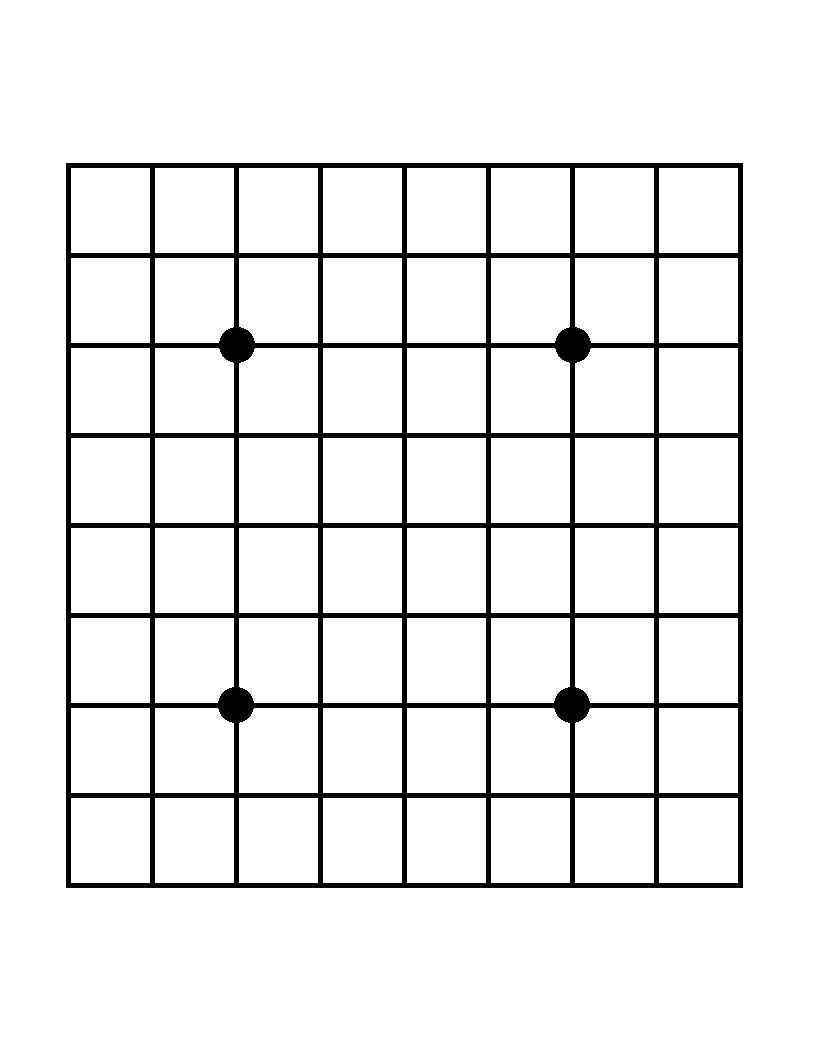
Well, time to code!
Important note: I just changed: "Stone" is not needed as a class right now, if I need it in the future I will change it, for now, there will be an integer in every position: 0-No stone 1-Black Stone 2-White Stone, 3-Unplayable place
Some things about how I will program this:
- Even if inside an IF there is only one line, I will still use the "{"
- Lot's of comments on code.
- Obvious comments mode=on.
First way I thought about creating the board:
This goes with the math of the last post. Puts the correct "component" in every space of the array.
So, now, just to show it on the console, in the "Console" class:
And in the "Principal" class (main), just start the program creating the board (hardcoded to 9x9 but can be changed to whatever). In the near future I will quit this from main and create a class for the game loop.
So, that's it for now, runnig this I had:This goes with the math of the last post. Puts the correct "component" in every space of the array.
So, now, just to show it on the console, in the "Console" class:
And in the "Principal" class (main), just start the program creating the board (hardcoded to 9x9 but can be changed to whatever). In the near future I will quit this from main and create a class for the game loop.
In 9x9:

In 19x19:

Thursday, August 9, 2012
Day 1: Board Representation II

Well, let's put in practise the theory I learnt in the previous post. The board will be an array (I will use the class Vector) and in theory the size should be (n+2)*(n+1)-1. So, I will write some examples of this just to understand:
6x6 board = 8*7+1=57
01 02 03 04 05 06 07
08 09 10 11 12 13 14
15 16 17 18 19 20 21
22 23 24 25 26 27 28
29 30 31 32 33 34 35
36 37 38 39 40 41 42
43 44 45 46 47 48 49
50 51 52 53 54 55 56 57
Borders will be at 1,2,3,4,5,6,7,8,15,22,29,36,43,50,51,52,53,54,55,56,57
9x9 board = 11*10+1=111
01 02 03 04 05 06 07 08 09 10
11 12 13 14 15 16 17 18 19 20
21 22 23 24 25 26 27 28 29 30
31 32 33 34 35 36 37 38 39 40
41 42 43 44 45 46 47 48 49 50
51 52 53 54 55 56 57 58 59 60
61 62 63 64 65 66 67 68 69 70
71 72 73 74 75 76 77 78 79 80
81 82 83 84 85 86 87 88 89 90
91 92 93 94 95 96 97 98 99 00
01 02 03 04 05 06 07 08 09 10 11
Borders will be at 1,2,3,4,5,6,7,8,9,10,11,21,31,41,51,61,71,81,91,101,111
So, lets say that borders will be in
- 1 to n+1
- (n+1)*x+1 (x is a for from 1 to n)
- (n+1)*(n+1) to (n+2)*(n+1)+1
Well, this is theory, let's see if it works. In the next entry I will put it in code and see if this really works like this.
Day 1: Board representation.

First of all, I have to thank a lot to the Computer Go mailing list, so if you are interested in computer go, suscribe to it here. I asked them for some papers and information for beginners information and they answered me with very interesting information.
The first document that I am reading is the one about board representation on Senseis. It is very interesting, so I will divide the text and comment my impressions and conclutions. If the owners of the wiki don't want this text copied please tell me and I will quit it.
Board representationSo, I think I will try to implement a dynamic array limited by a number of rows and cols (in theory both are equal, but it should be possible to change it).
The most basic of all basics. In order to have a program that can play Go, we need a representation of a Go board in computer terms. Although Go is payed on a variety of board sizes, the most popular by far is 19x19. For teaching purposes or for entertainment it also is occasionally played on 13x13 or 9x9. As far as I know, smaller sizes than that are only occasionally used as testing grounds for computer programs. Also boards larger than 19x19 are so rare that I choose to ignore them completely.
Since the board is always square (with an uneven number of lines), common sense would point to using a two-dimensional array to represent the board. Unfortunately computers take much longer to access a two-dimensional array than a one-dimensional array. For this reason most serious Go playing programs will use a one-dimensional array to represent the board. The one-dimensional position z of a board-point x,y is then arrived at by the following conversion: z = x + y *19 (for a 19x19 board represented by a one-dimensional array of size 361). From now on I'll use xy instead of z as the one-dimensional equivalent of the two-dimensional coordinate x,y. Since the program will internally only use one-dimensional arrays, it will in practice not have to do such conversion often. A computer doesn't care whether the coordinate is represented in a one dimension or two.
- So, the board will be a square (rows=cols), that's good.
- One dimension array? Ok, this will be more difficult, but...

There's a practical difficulty with representing the board in a one dimensional array however. How can the program distinguish between the borders of the board? This is still possible by looking at the coordinate. When xy%19 equals 1 or 19, or when xy/19 equals 1 or 19 we have a point on the 1st line.Now, there is a good explanation. I will need to create a method to convert from a 2 coordinates position to a 1 coordinate position.
Next to that is the edge of the board. This is a rather cumbersome way however, and such calculation will cancel out any performance gained by using a one-dimensional representation. The common way to solve this is by usig a bigger array and use border-points around the board to indicate the board boundaries. At first you may think this would lead to a 21x21 representation, and indeed in a two-dimensional board representation this would be the case. When this gets mapped to a one-dimensional array and you'd print out the information stored, you may notice something interesting however. Whenever a border-point is reached to mark the edge of the board, you see two consecutive border-points next to each other. For this reason, the one-dimensional representation can be a little smaller. Instead of 21x21=441 points, we can make do with 20x21+1=421 points. This has one more advantage: to convert a one-dimensional coordinate to two dimensions, the division is by 20 instead of 19 or 21, which is a lot easier for humans. As said before, computers don't care about such things, but it's a lot easier when seeing one-dimensional coordinates in your debugger this way. Trust me, it's a lot easier! After this you should understand the reason behind the constant values defined at the top of the class tesuji.games.go.util.GoArray.So, let's see if I understand, when I reach the border in one side the next one will be a border to, so I don't need to tell there is a border. For example something like this (let's say a 9x9 board):
##########
#********* <---The next one will be a border.
#*********
#*********
#*********
#*********
#*********
#*********
#*********
#*********
##########
OK, this is initially about the Go board. The Go board has all the information there is, still it's rather limited for a computer program to do anything useful. A Go board has points that can only be in one of three states: empty, a black stone or a white stone. So that's all that the array will contain.Well I can go with an integer, for example 1=black, 2=white, 3=not playable
This will be hard... very hard
Subscribe to:
Posts (Atom)